macOS Native

Transcribe Audio.
Instantly & Privately.

The most powerful, privacy-focused AI transcription tool for macOS. Powered by Whisper, running entirely on your device with CoreML acceleration.

100% Local & Private
Free Open Source
M1+ Apple Silicon Optimized
"App cannot be opened" Warning?

Since Vocal Prism is open-source and not yet code-signed by Apple, you may see a security warning.

  1. Open System Settings > Privacy & Security.
  2. Scroll down to the "Security" section.
  3. Click Open Anyway next to the Vocal Prism message.
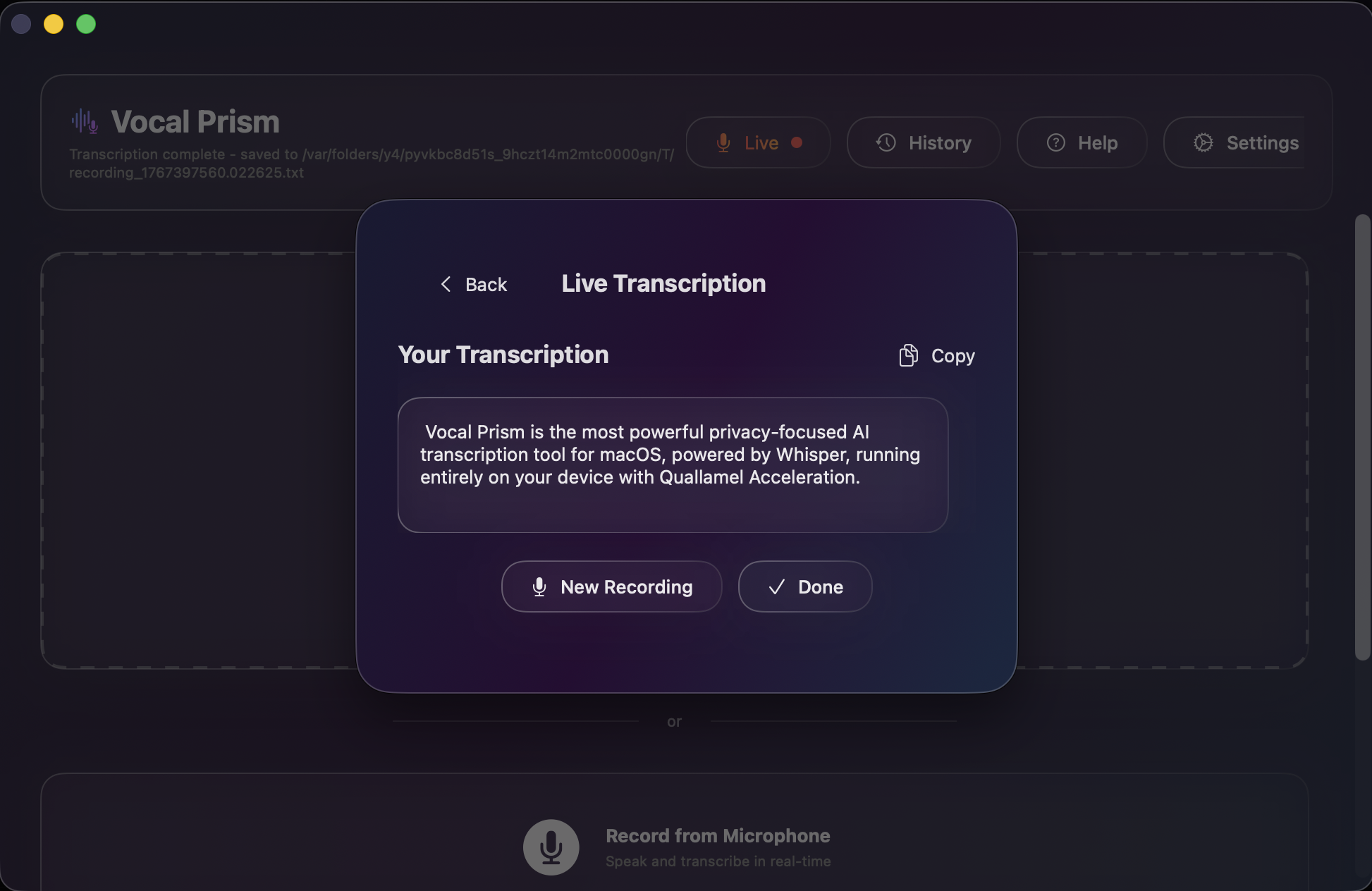
Vocal Prism Live Transcription
100% Local Processing
CoreML Acceleration
Real-time Waveforms
Export to TXT
Multi-Language Support
macOS Native
100% Local Processing
CoreML Acceleration
Real-time Waveforms
Export to TXT
Multi-Language Support
macOS Native

Transcribe smarter, not harder.

Powerful tools built directly into a beautiful native macOS experience.

Real-Time Transcription

Watch your audio turn into text instantly. Vocal Prism streams the output as it's being processed, so you never have to wait for the file to finish.

  • Live waveform visualization
  • Support for MP3, WAV, M4A, FLAC
  • Instant feedback loop
Real-Time Transcription View

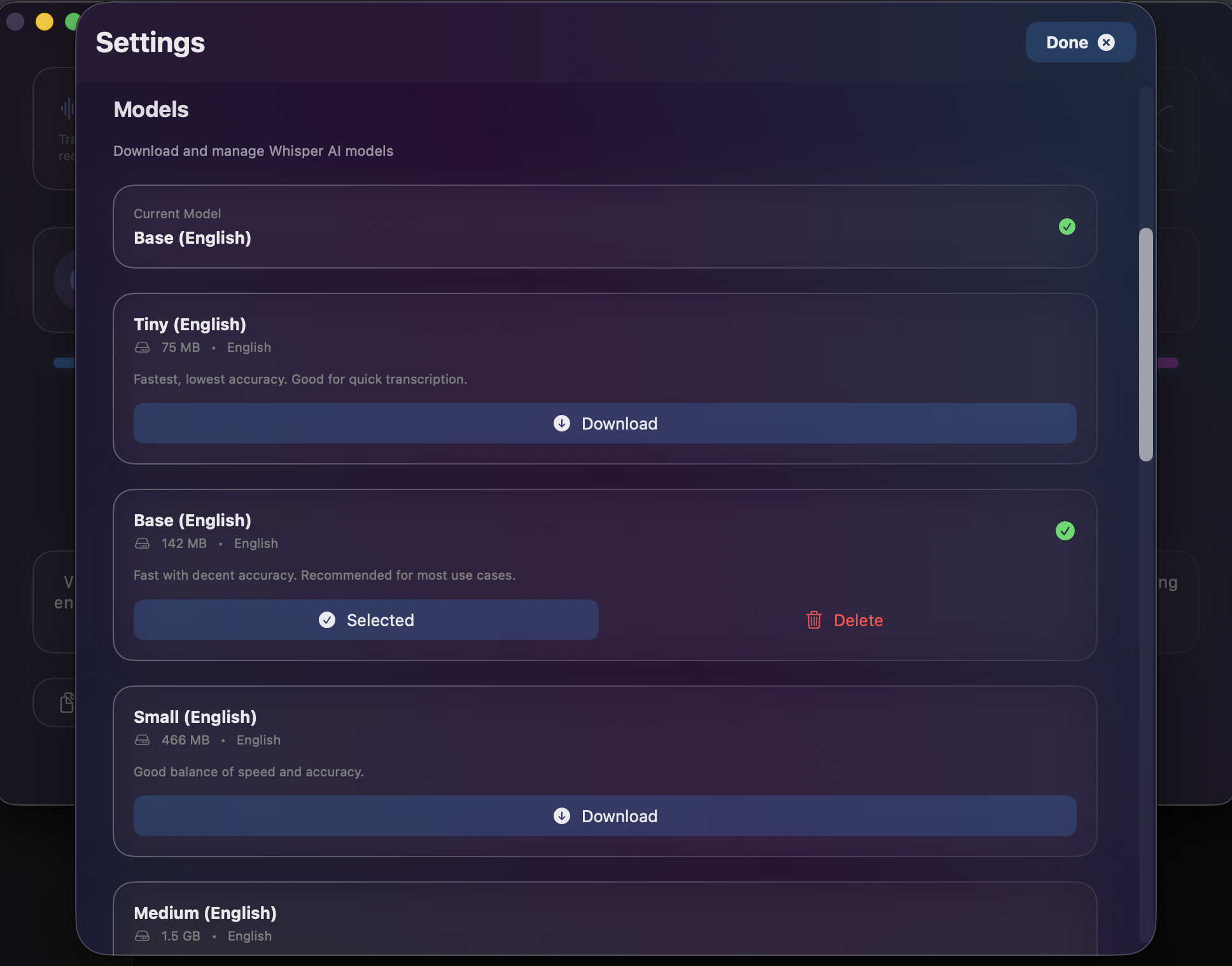
100% Private & Local

Your audio never leaves your Mac. Vocal Prism uses the Whisper model running locally on your device, ensuring your data remains completely secure.

  • No cloud processing
  • Works offline
  • No subscription fees
Local Model Settings

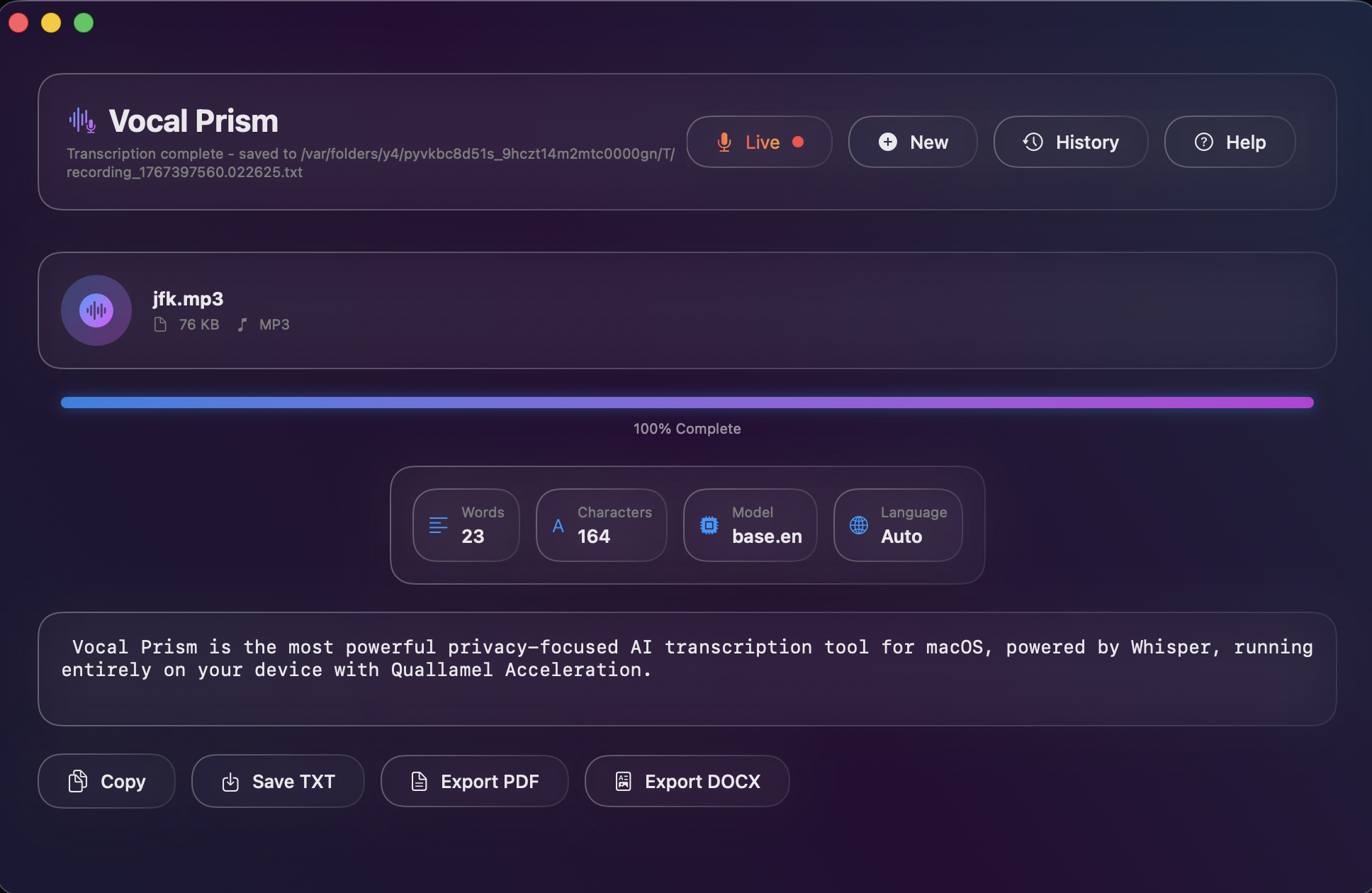
Powerful Export Options

Need a transcript for meeting notes? Vocal Prism has you covered with versatile export formats.

  • Export as .TXT text files
  • Copy to clipboard with one click
Export Options View

How it works

From audio file to text in seconds.

1

Import Audio

Drag and drop your audio file (MP3, WAV, M4A) directly into the app window.

2

AI Processing

The local Whisper model analyzes the audio using CoreML acceleration for maximum speed.

3

Get Results

Watch the text appear in real-time, then export or copy your transcript instantly.

Native Performance

Built with Swift and SwiftUI. Vocal Prism feels right at home on your Mac, with smooth animations and zero Electron bloat.

Dark Mode

Designed with a stunning liquid-glass UI that adapts to your system theme.

Configurable

Adjust CPU threads and model variants (Base, Small, Medium, Large) to suit your needs.

Privacy First

Your audio is yours. Vocal Prism processes everything locally. We don't train models on your conversations.

Built for Apple Silicon.

Engineered to take full advantage of M1, M2, and M3 chips.

CoreML Acceleration

Vocal Prism leverages the Apple Neural Engine (ANE) to run Whisper models at lightning speeds with minimal battery impact.

macOS 26+ Ready

Designed for macOS 26 and later. Takes full advantage of the latest system frameworks.

Frequently Asked Questions

Everything you need to know about Vocal Prism.

Yes! Because Vocal Prism uses local Whisper models, you can transcribe audio files without an internet connection.

Vocal Prism requires macOS 26.0 or later. It works on both Intel and Apple Silicon Macs, but is optimized for Apple Silicon (M1/M2/M3).

Yes! Vocal Prism is free to use. It is an open-source project built to provide high-quality transcription to everyone.

As an open-source app, Vocal Prism isn't code-signed by Apple yet. You can bypass this safely by going to System Settings > Privacy & Security and clicking "Open Anyway".

🎉 Available Now

Ready to transcribe?

Join users who are saving hours of manual typing. Get full access to powerful AI transcription completely free.

Requires macOS 26.0+ and Apple Silicon (Recommended)